How to Spot Scope Creep in System Integration
4 mins read
Published Dec 15, 2025

It’s 4:00 PM on a Thursday. You are on-site for commissioning, sitting on a bucket in front of a control panel. The system is finally running the sequence correctly. Then, the project manager taps you on the shoulder.
"Hey, while you're in the code, can we just have that conveyor reverse if the photo-eye is blocked for 10 seconds? It should only take a minute."
You freeze. You know exactly what that involves: a new timer, a change to the state machine, an HMI update to visualize the status, and re-testing the safety interlock. It is not "a minute." It is 45 minutes of focused engineering work.
But because you want to be helpful—and because you just want to go home—you say "Sure," and you do it. You don't write it down. You don't bill for it.
This is the critical moment where projects bleed to death. There is a massive difference between fixing a bug (making the system do what was agreed upon in the Functional Design Specification) and adding a feature (changing the system's behavior).
When you fail to distinguish between the two, you are letting "scope creep in system integration" rob you. Those unbilled 15-minute favors don't just vanish; they accumulate. If you do that four times a day during a two-week startup, at a standard rate of $150/hr, you have just given away $6,000 of free labor.
Defining Scope Creep in System Integration
Scope creep in system integration refers to the gradual expansion of project requirements beyond the original Statement of Work (SOW) without corresponding adjustments to the budget or timeline. In automation, this is rarely a single massive request. Instead, it is "death by a thousand cuts."
Common examples include:
HMI Tweaks: "Can we move that button here? Can we change this color?"
Data Collection: "Actually, can we also log the motor temperature to the SQL database?"
Sequence Changes: Modifying the order of operations after the code has already been written and tested.
Third-Party Interface: Troubleshooting a device that isn't yours because the vendor didn't show up.
If it wasn't in the FDS (Functional Design Spec), it is scope creep.
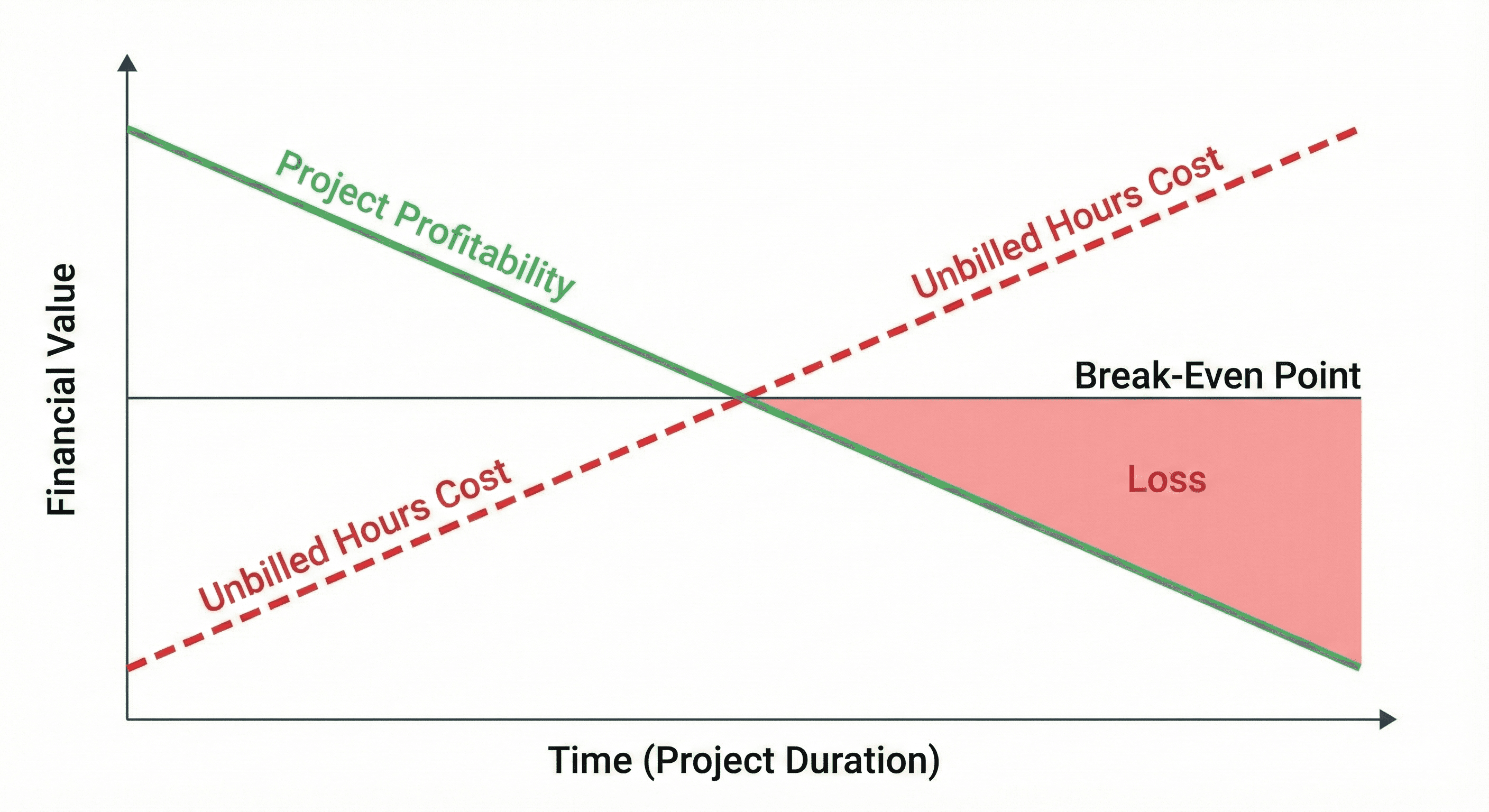
In the world of industrial automation, we often suffer from the "Hero Complex." We want to be the ones who save the day and make the machine sing. However, this mindset makes automation engineers uniquely vulnerable to scope creep.
The client sees a laptop and assumes "it's just typing." They don't see the complexity of the PLC logic or the ripple effects of changing a single tag database. Because the physical wiring isn't changing, they assume the cost is zero.
If you don't track these requests the moment they happen, they become invisible. You cannot bill for what you cannot prove. By the time the project closes, you’re left wondering why a $50,000 integration job barely broke even.
The Mathematical Reality of "Just Five Minutes"
Let's look at the math. A typical system integration project might have a budget of 200 engineering hours.
During the final 20% of the project (commissioning), the pressure is high. If you accept just two small "out of scope" changes per day that take 30 minutes each:
1 hour per day lost.
5 hours per week lost.
Over a 4-week startup, that is 20 hours.
If your billable rate is $175/hr, you have lost $3,500 in direct revenue. But the cost is actually higher. Because you spent those 20 hours on unbilled work, you fell behind on the billed work, forcing you to work overtime or delay the start of your next project. The opportunity cost doubles the financial impact.
The solution isn't to be difficult or refuse to help the client. The solution is transparency. You must move from a mindset of "favors" to a mindset of "change orders."
When a request comes in that falls outside the original scope, you need a mechanism to capture it immediately. It doesn't have to be a confrontation; it just has to be documented. The moment you start tracking these "small" requests, you change the dynamic. You show the client that your time has value, and you protect the project's bottom line.
How to Stop the Bleeding
To fix this, you need a friction-less way to log time against "Change Orders" rather than "General Project Hours."
Pause and Assess: When a request comes in, categorize it mentally. Is this a bug (warranty) or a feature (change order)?
Verbalize it: Tell the client, "I can definitely do that. That is outside the current FDS, so I’ll need to log this as a change request. It should take about an hour."
Log it Immediately: Do not wait until the end of the day. You will forget.
This is where having the right tool is non-negotiable. You need to be able to pull out your phone, create a task, and assign time to a "Change Order" bucket instantly.
Track change orders in real-time with Time Assign. Stop giving away your expertise for free and start getting paid for every minute of value you deliver.
More