Why Virtual Machines are great for PLC Programming
5 mins read
Published Feb 20, 2026
Ask any systems integrator about their biggest time sinks, and you’ll likely hear about software conflicts, license headaches, and environment setup. At Time Assign, we focus on helping control engineering teams track their time and manage projects more efficiently. One of the highest-ROI strategies to reclaim lost billable hours is adopting Virtual Machines (VMs) for Programmable Logic Controller (PLC) programming.
If you are still installing automation software directly onto your host machine, you are walking into a minefield of registry errors and software bloat. Here is why using VMs is an absolute necessity for modern controls engineers.
Conquering the Software Versioning Nightmare
Industrial automation software is notoriously sensitive to versioning. Upgrading a project or migrating to a new controller often requires running specific legacy versions alongside the latest releases. Doing this on a single host operating system is a recipe for disaster.
When you install automation software, it embeds itself deeply into your Windows registry, updating background services, communication drivers (like RSLinx), and hardware profiles.
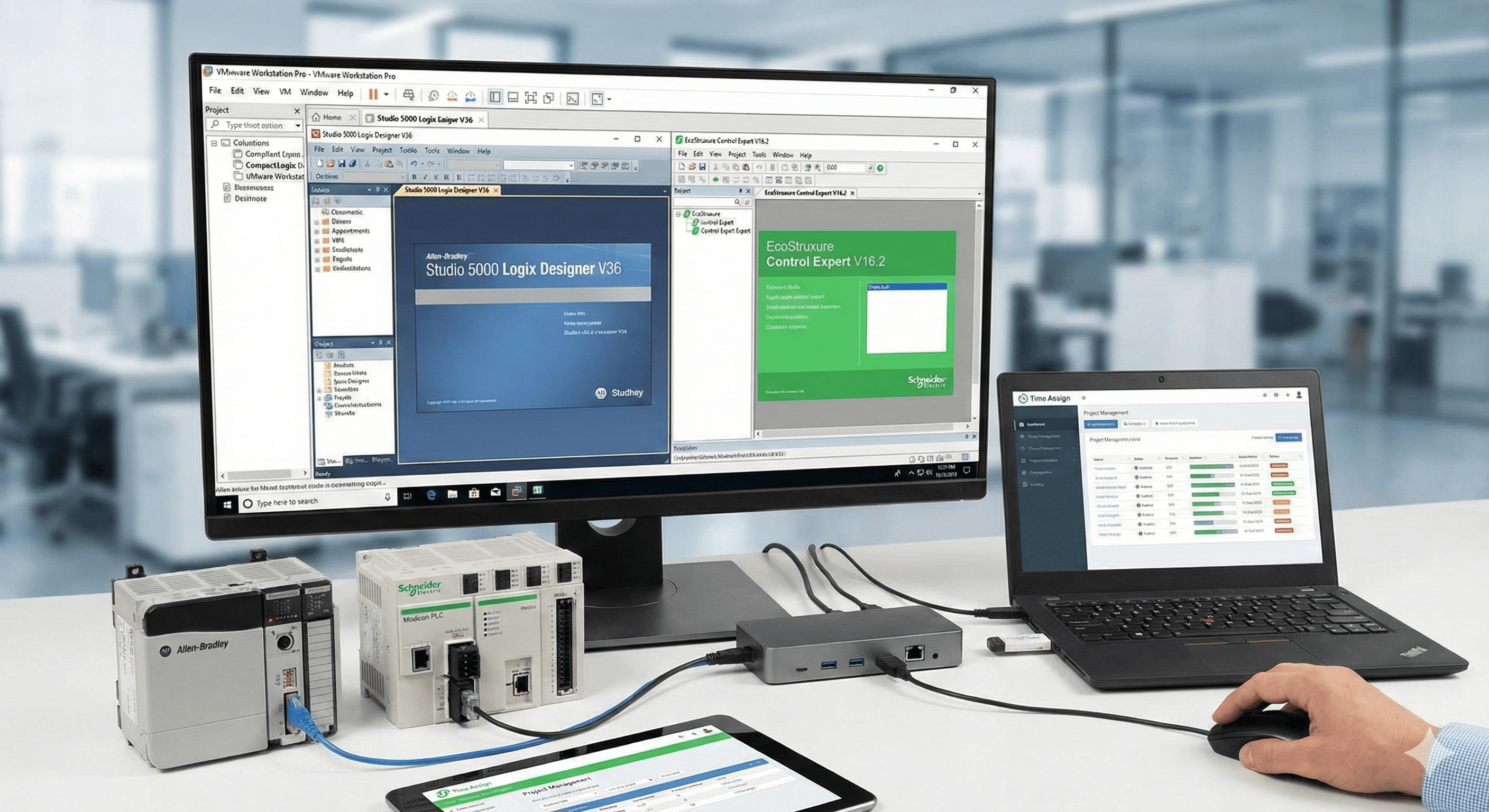
Studio 5000 V36 vs. V34: If you install Studio 5000 V36 on the same machine that is already running V34, you might be in for a rude awakening. V36 introduces updates to how Electronic Data Sheets (EDS) are handled. Installing it actively alters the EDS handling for V34 and V35, frequently breaking module definitions and causing software crashes when you try to open older projects.
Control Expert 15.3 vs. 16.2: Similarly, upgrading Schneider Electric software often updates underlying Device Type Managers (DTMs) and shared DLL files. Trying to run Control Expert 15.3 and 16.2 on the same host can lead to DTM library conflicts, preventing you from connecting to certain modules.
The VM Solution: Virtualization provides complete sandboxing. You can spin up one dedicated VM exclusively for Studio 5000 V34 and a completely separate VM for V36. If a software package corrupts its own registry, you just delete the VM and roll back to a clean snapshot in seconds—saving hours of troubleshooting and uninstalls.
Seamless Collaboration and Environment Sharing
Setting up a new engineering laptop with the correct OS, PLC software, communication drivers, and patches can take a full workday. In the world of systems integration, that is an entire day of lost project time.
VMs allow you to package a perfect, working ecosystem into a single file. If a junior engineer needs to jump into a legacy Modicon project, you don't need to walk them through a complex installation. You simply share a copy of your verified Control Expert 15.3 VM. They open the file in VMware or VirtualBox, and instantly have the exact same setup, DTMs, and network configurations as you do. This makes onboarding faster and ensures every engineer on the project is working from an identical software environment.
Protecting Your Floating Licenses
Automation software licenses are substantial investments. Most systems integration firms use a concurrent "floating" license server (such as FactoryTalk Activation Manager or Schneider Electric License Manager), allowing engineers to check out a license when they need it and return it when they are done.
However, virtualization introduces a critical operational hazard: improperly closing your VM.
When you are finished programming for the day, simply suspending the VM or force-quitting the hypervisor window does not return the license to the pool. Because the VM's network adapter was severed before the automation software could communicate with the host server, the license remains checked out and locked to that suspended machine.
To prevent locking your team out of expensive software:
Save your PLC project.
Fully close the programming software (Studio 5000, Control Expert, etc.) to ensure the license is cleanly released back to the server.
Perform a proper OS shutdown from within the Virtual Machine.
Why VMware Workstation Pro is the Industry Standard (The USB Passthrough Advantage)
While there are multiple hypervisors available—such as Microsoft Hyper-V or Oracle VirtualBox—VMware Workstation Pro has cemented itself as the gold standard for systems integrators and controls engineers. The primary reason for this dominance comes down to one critical feature: flawless USB passthrough.
Controls engineering is incredibly reliant on physical hardware connections. Whether you are using an Allen-Bradley 1747-UIC programming cable, a finicky USB-to-serial adapter to talk to a legacy drive, or a physical hardware license dongle for your automation software, your virtual machine must be able to communicate with that physical device without a hitch.
Here is why VMware Workstation Pro outperforms the alternatives for industrial automation:
True Direct Hardware Access: Unlike Hyper-V, which natively struggles with direct USB passthrough and often forces engineers to rely on clunky Remote Desktop workarounds, VMware Workstation Pro connects physical USB devices directly to the guest operating system. When you plug in a PLC cable, the hypervisor captures it at the host level and routes the data seamlessly to the VM.
Granular Device Control: VMware provides a simple, dedicated interface to explicitly choose whether a USB device connects to your host machine or directly to your virtual environment. You can even configure specific license dongles to auto-connect to your Control Expert or Studio 5000 VM the exact moment they are plugged in.
Rock-Solid Stability with Serial Adapters: Industrial automation relies heavily on specific FTDI and Prolific USB-to-serial chipsets. VMware handles these legacy communication protocols exceptionally well. This stability is critical—the last thing you want is a dropped USB connection in the middle of a live online edit or a critical PLC firmware flash.
By standardizing your team on VMware Workstation Pro, you eliminate the hardware communication bottlenecks that cause RSLinx timeouts and driver errors, ensuring your software connects to the controller on the first try.
Maximize Your Engineering Time
Using virtual machines transforms your laptop from a fragile house of cards into a robust, scalable engineering toolkit. By isolating your Studio 5000 and Control Expert versions, sharing pre-configured environments with your team, and practicing proper license management, you eliminate downtime and keep your projects moving forward.
At Time Assign, we know that every hour spent fighting software is an hour stolen from engineering and project execution. Optimize your workflow, track your time accurately, and leave the software conflicts in the past.
More